
Choose the correct OTT PLATINUM ACTIVE CODE V4 route
Use the V4 active-code build only when support confirms this route for the account. App installation and service activation are separate steps.
Use the app name and login mode shown below when selecting the installer. On a compatible Android or Fire OS device, the listed Downloader code is a reference route to check against the current App Center entry. A Downloader code locates a hosted package; it is not a service activation code and does not verify the binary signature.
Smart-TV app stores, iOS, tvOS and desktop systems have their own installation routes. Do not assume that an Android package can install on every device advertised as compatible with IPTV. The device needs a player that accepts the supplied account format.
Download and installation checks
| Installation detail | What to use |
|---|---|
| Application / device | OTT PLATINUM ACTIVE CODE V4 |
| Account method | Active code |
| Download route | Open App Center and confirm the exact entry |
| Screenshot context | Ott Platinum family examples; UI can differ by build |
| Service activation | Install first, then WhatsApp Golden OTT for a one-day trial |
2495951App Center is an external download destination. Confirm the app name, login method, version and supported operating system before installation. Installer codes can change; if the target differs from this page, ask support for the current route. The website does not host or repackage third-party APK binaries.
Install, sign in and request a trial
- Confirm your device. Record the model and operating system. Check the matching setup guide before downloading a package or firmware.
- Select the exact build. Compare the name and account mode. USER&PASS and ACTIVE CODE variants are different routes.
- Install through the supported method. Use the app store or verified source. On a compatible Android device, restrict installation permissions after the installer completes.
- Contact Golden OTT. Once the app is installed, WhatsApp us for a one-day free trial. State the device and the account method.
- Enter approved account details. Open the active code screen and use only the corresponding details supplied by support. Do not enter the installer code into a service activation field.
- Test the intended setup. Open a reference channel, check audio, inspect the guide and return to the category list before changing advanced settings.
Separate source playback from display settings
A playback problem can come from the source, the account, the decoder or the path from the device to the screen. A black picture with audible sound calls for different tests from a channel that never opens. Describe the behaviour precisely before trying a fix.
The useful outcome is repeatable video, intelligible sound and a known path to the controls needed for that device. Document any source-specific limitation instead of applying a global reset.
Do not infer native 4K from an upscaled screen, or a source outage from one receiver audio setting. Keep decoder, output and source tests separate.
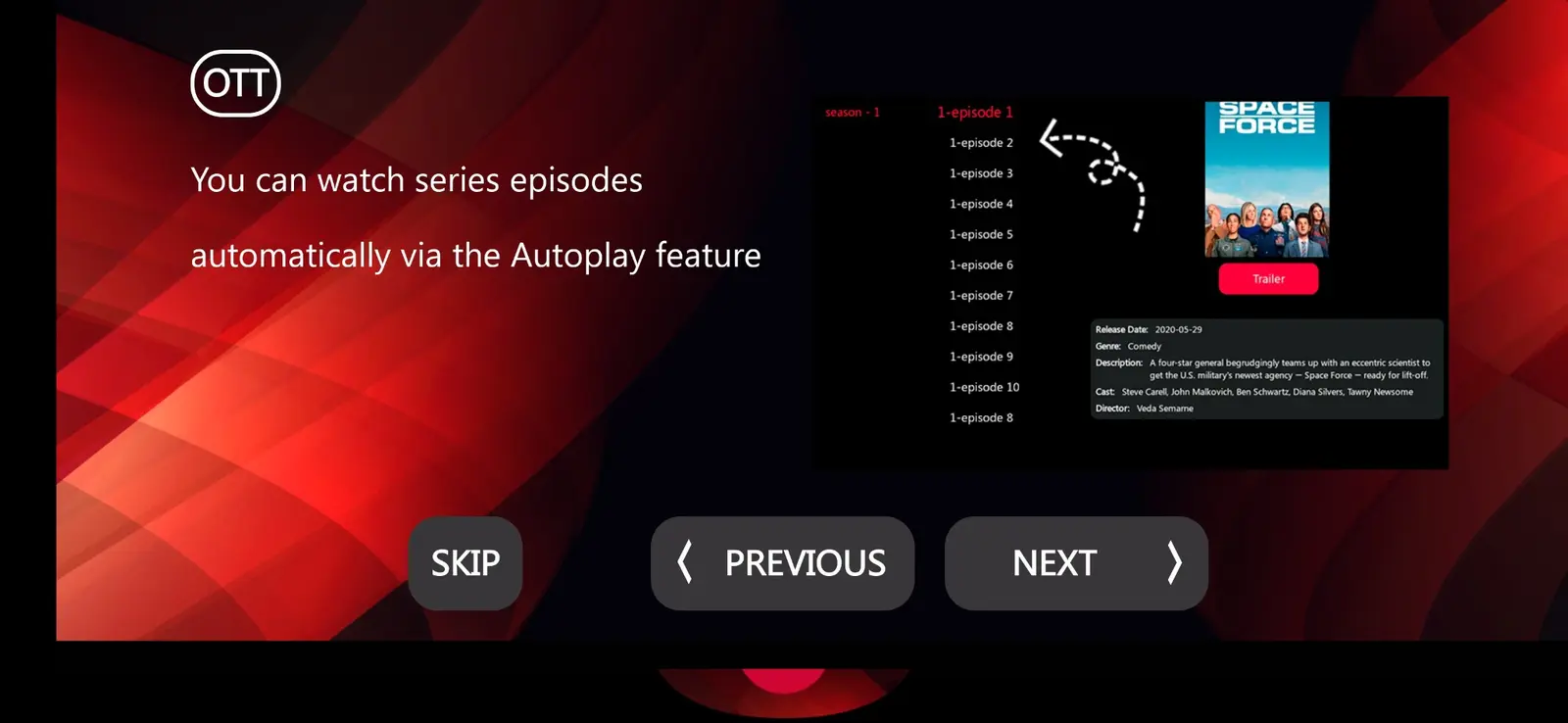
Navigation and viewing controls
Use the V4 active-code build only when support confirms this route for the account. App installation and service activation are separate steps.
The screenshots show real navigation patterns, but the screen layout can differ by app version, device mode and account package. Learn the controls needed for live TV, movie selection, series episodes, search and favourites. Test a small set first so a later category refresh has a known baseline.
If the app includes EPG, check the device clock and timezone before using schedule offsets. If it includes catch-up, confirm that the selected channel actually provides an archive. A visible schedule or brand logo does not establish replay availability. Use the guide supplied for the account rather than adding an unrelated public feed.
Video, audio and network comparisons
A playback problem can come from the source, the account, the decoder or the path from the device to the screen. A black picture with audible sound calls for different tests from a channel that never opens. Describe the behaviour precisely before trying a fix.
A successful test maintains playback through the part of the session that previously failed and still allows normal navigation. Retest during the time of day you intend to watch, since household traffic and routing can change.
Test on the physical device and connection you intend to use. Pause competing downloads, compare a supported wired connection when practical and test a normal HD source before a higher-bitrate source. If only one title fails, report its name, time and selected quality while preserving a working reference source.
Subscription and app licence details
Golden OTT personal account prices are $8.99 for 1 month, $23.99 for 3 months, $38.99 for 6 months and $49.99 for 12 months. These are service prices in USD. A player licence or additional concurrent connection can have separate terms; confirm them before payment.
Installing OTT PLATINUM ACTIVE CODE V4 does not activate the subscription. The trial and paid account details come through the verified Golden OTT support route. A form submission is an order request, and payment verification precedes activation. Keep the private reference and any supplied account instructions for renewal questions.
Updates, backups and account privacy
Record the working build and profile before an update. Do not delete a working installation just because a different version is listed. If support recommends a migration, ask whether credentials, favourites or app pairing need to change before proceeding.
Keep private playlist URLs, service codes, passwords and device keys out of public screenshots. The gallery uses clean or redacted examples for that reason. If a screenshot is necessary, capture the symptom and remove secrets before sending it through the approved private contact route.
When to ask for help
If the downloader target, build name, login screen or account route differs from the guide, stop and ask which entry support currently recommends. Include the exact app name OTT PLATINUM ACTIVE CODE V4, device model, operating system and the point where the process stopped.
For a playback issue, add the affected channel or title, selected quality, time and timezone, connection type and a source that still works. For an activation issue, use the private order reference and avoid posting full account details in a public message.