
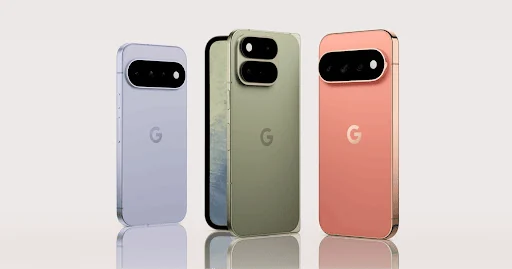
























Compatibility at a glance
- Hardware scope
- Google Pixel phone family
- Operating system
- Android
- Native route
- Platform store / documented receiver route; Android APKs only on a matching Android runtime
- Golden player/build
- Exact listing, minimum version, signature and hardware playback NOT VERIFIED
- Account method
- Use only the player-specific method issued by Golden OTT; no public credentials
- Region / version
- Actual store country, hardware generation and installed release required
- Evidence
- Manufacturer/platform documentation checked 2 November 2026; physical-device and Golden account tests NOT TESTED
Follow this platform’s native route
These are documented platform controls, not a claim that a particular Golden player is listed or tested. Confirm the exact player before installation.
- Open Google Play Store on the actual phone and find the exact confirmed mobile player.
- Check publisher, minimum Android release and the touch interface. A television-oriented package is not automatically suitable.
- Install through the verified available listing. If an Android verification warning appears, record the exact message and ask the publisher for its supported route.
- Open the player, inspect its account fields and use only the matching privately issued service details.
Choose the actual operating-system route
Phone compatibility depends on Android version, chip, app build and account format. Installing the player alone does not activate service.
Find the player for this platform
Use a compatible app-store listing or the verified APK route for your device. If sideloading is necessary, grant installation permission only to the installer you are using and remove that permission after installation.
Installation scope
Android. ANDROID PACKAGE CAPABILITY — exact app/build, model and publisher support UNKNOWN. Exact player compatibility remains a separate confirmation.
Manufacturer-specific distinction
Google’s documented verification rollout initially covers participating stores on certified Android 8+ devices in Brazil, Indonesia, Singapore and Thailand from September 2026, with wider expansion described for 2027. Record an exact installation warning and ask the publisher about the supported route; no Golden developer verification is established.
Android developer-verification scope
Use the issued account format
Choose Mobile mode when the Golden Smart interface offers a device selection. Password managers can help, but check for inserted spaces and the correct server profile before pressing Add Playlist.
Check the connection at the device
Test Wi-Fi first, then mobile data only if your plan allows it. Mobile networks can change route and signal while you move, and high-resolution video can consume substantial data.
Keep decoding and output separate
A phone may switch orientation, battery mode and screen refresh rate during playback. Compare the player with battery saver disabled for one controlled test, then restore your preferred setting.
Learn this input method
Tap gestures, favourites and screen orientation differ from TV remote controls. Lock orientation if accidental rotation interrupts the programme guide.
Finish with a small reference session
Request the one-day trial after preparing this route. Test your named sources, sound and input controls on the intended connection.
Find the exact account/player record · Prepare the trial · Find the relevant symptom