
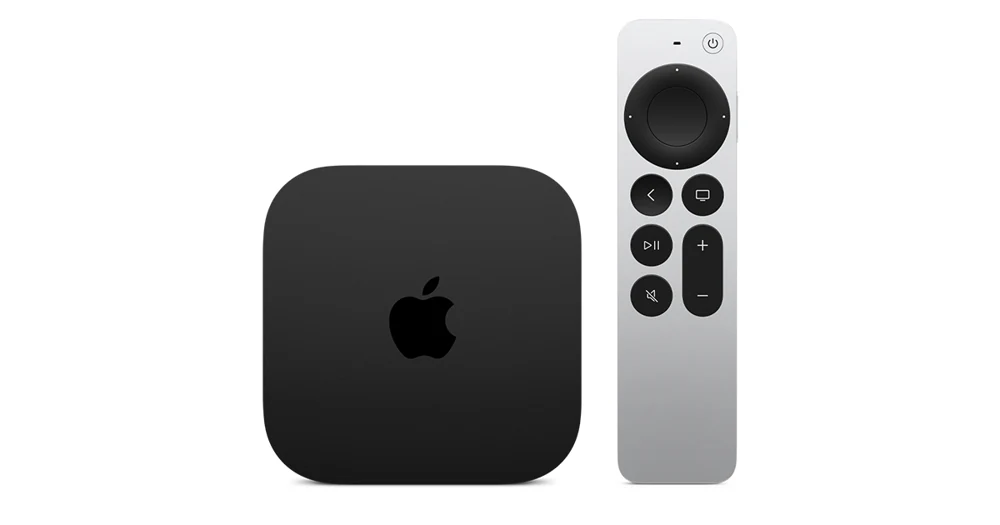
























Compatibility at a glance
- Hardware scope
- Apple TV 4K with Siri Remote
- Operating system
- tvOS
- Native route
- Platform store / documented receiver route; Android APKs only on a matching Android runtime
- Golden player/build
- Exact listing, minimum version, signature and hardware playback NOT VERIFIED
- Account method
- Use only the player-specific method issued by Golden OTT; no public credentials
- Region / version
- Actual store country, hardware generation and installed release required
- Evidence
- Manufacturer/platform documentation checked 2 November 2026; physical-device and Golden account tests NOT TESTED
Follow this platform’s native route
These are documented platform controls, not a claim that a particular Golden player is listed or tested. Confirm the exact player before installation.
- Identify Apple TV HD or 4K before continuing; third-generation Apple TV does not have an App Store for new apps.
- Open App Store and search for the confirmed tvOS player.
- Review the publisher and price, then choose Get or the displayed price using the device’s normal Apple authentication.
- Open the installed app and check its account fields. A free app download does not establish free player features or service access.
Choose the actual operating-system route
A compatible Apple TV player is required. The Golden-branded Android apps are not presented as native tvOS apps.
Find the player for this platform
Install a compatible player from the Apple TV App Store. Android APKs and Android Downloader codes do not install on tvOS. Confirm the player supports the account format supplied for your plan.
Installation scope
tvOS. UNSUPPORTED as native Android APK installation — use this platform’s own app/receiver route. Exact player compatibility remains a separate confirmation.
Manufacturer-specific distinction
Apple TV HD and 4K have an App Store. Apple TV third generation cannot download new apps through one. Identify the hardware before looking for an installation setting; a free app download still does not establish a paid service account.
Apple TV generations and App Store
Use the issued account format
The tvOS keyboard and iPhone remote can make text entry easier. Review the final server URL and credential case before saving. Never reuse a public demo playlist as your private account.
Check the connection at the device
Where the Apple TV model has Ethernet, it provides a useful comparison with Wi-Fi. Also check any receiver or HDMI switch in the video path when sound or picture drops.
Keep decoding and output separate
Match-content settings affect the television output, while the player controls source playback. Change only one layer at a time and compare motion, colour and audio on the same reference scene.
Learn this input method
The Siri Remote touch surface can behave differently from click-only remotes. Learn how to open the guide, return to the channel list and reveal transport controls in your chosen player.
Finish with a small reference session
Request the one-day trial after preparing this route. Test your named sources, sound and input controls on the intended connection.
Find the exact account/player record · Prepare the trial · Find the relevant symptom