
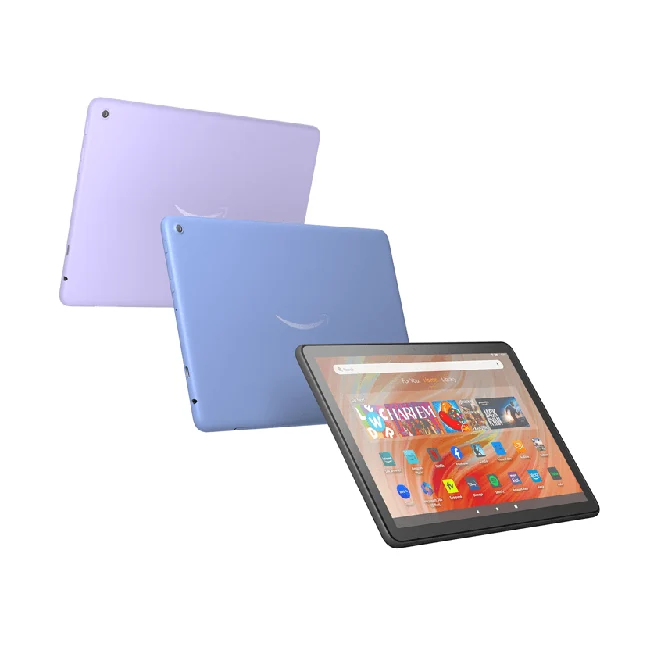
























Compatibility at a glance
- Hardware scope
- Fire HD 10 (2023, 13th Gen)
- Operating system
- See model-specific route below
- Native route
- Platform store / documented receiver route; Android APKs only on a matching Android runtime
- Golden player/build
- Exact listing, minimum version, signature and hardware playback NOT VERIFIED
- Account method
- Use only the player-specific method issued by Golden OTT; no public credentials
- Region / version
- Actual store country, hardware generation and installed release required
- Evidence
- Manufacturer/platform documentation checked 2 November 2026; physical-device and Golden account tests NOT TESTED
Use the documented native workflow
- Open Settings → Device Options and locate Device Model or About Fire Tablet. Record the generation and installed software.
- Open Games & Apps or the Apps/Games app. Use Library for a known app or Store search for a new one.
- Select only the verified available touch-device listing confirmed for that tablet. Review its publisher and device requirements and follow its store installation control.
- Open the app, test touch navigation and identify the supported account fields. A Fire TV remote layout is not a tablet support test.
The useful starting point
Find the Fire tablet generation and use its touch-device store route. A Fire TV player build and a Fire tablet app are separate compatibility questions.
What changes on this hardware or platform?
- Identify the device under Settings, Device Options, Device Model or About Fire Tablet. Screen size is not the generation number.
- Amazon's tablet route is Games & Apps or the Apps/Games app, then Library for a known app or Store search for a new one.
- Check touch layout, device generation and actual store availability separately from a television-oriented player build.
Prepare before installation
- Record the complete model, operating system, software version and actual store country.
- Connect power and the intended network. Confirm that a needed physical socket actually exists on this model.
- Ask Golden OTT to confirm the exact available player, publisher and account method before installing it.
Know when to stop
Do not promise Google Play is installed, assume a Fire TV app is tablet-compatible, or declare every Fire tablet generation supported by a Golden APK.
Request the matching Golden account
Use the account mode the confirmed player actually displays. Username/password fields, a private playlist and a device-registered portal are different methods. The installer lookup numbers on the app guides are not service activation codes.
After compatible-player installation, request a one-day trial with the device model and player name. Sending an enquiry does not automatically activate an account.
Check one stage at a time
- If the app cannot be found, check the model, OS, actual region and publisher listing before changing account settings.
- If installation succeeds but sign-in fails, match the issued method and fields. Keep all private credentials out of shared captures.
- If sign-in succeeds but one source fails, compare one named reference source in the same app and network.
- Keep the precise symptom, player version and local date/time with the support enquiry.
Questions for this route
Does the hardware picture prove Golden app support?
No. The picture identifies the stated hardware or platform. No physical-device playback, Golden store listing or app binary signature was tested for this guide.
Does a store download include the service?
A player app and a Golden service account have separate roles. Confirm any app fee, the issued account and the complete USD subscription total before payment.
Primary platform documentation
- Amazon Developer — Fire tablet identification and generation-versus-screen-size distinction.
- Amazon Customer Service — Fire tablet Games & Apps/Library/Store consumer installation route.
Documentation checked 2 November 2026. Menu wording can vary by version and market; live hardware and account checks remain untested.