
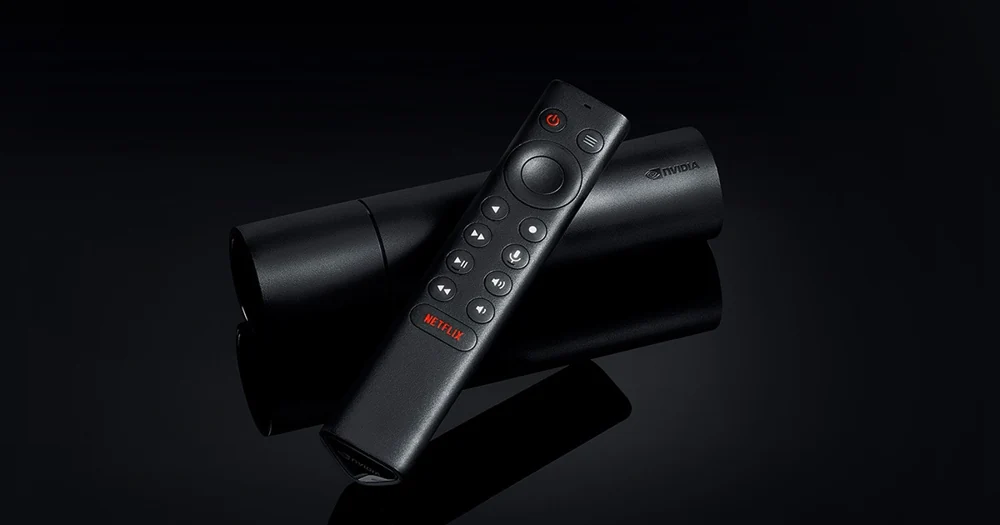
























Compatibility at a glance
- Hardware scope
- NVIDIA SHIELD TV with remote
- Operating system
- Android TV OS
- Native route
- Platform store / documented receiver route; Android APKs only on a matching Android runtime
- Golden player/build
- Exact listing, minimum version, signature and hardware playback NOT VERIFIED
- Account method
- Use only the player-specific method issued by Golden OTT; no public credentials
- Region / version
- Actual store country, hardware generation and installed release required
- Evidence
- Manufacturer/platform documentation checked 2 November 2026; physical-device and Golden account tests NOT TESTED
Follow this platform’s native route
These are documented platform controls, not a claim that a particular Golden player is listed or tested. Confirm the exact player before installation.
- From Home, open Apps, then Google Play Store.
- Search for the exact television player confirmed for your account. Check the publisher and TV listing; a phone-only app is a different build.
- Follow the available listing’s installation instructions and open the app.
- Check remote navigation and the account screen before requesting the matching service method.
Choose the actual operating-system route
Do not equate an upscaling setting with a higher-resolution source. Keep source quality and display processing separate when evaluating a trial.
Find the player for this platform
Install a compatible TV player from the device store. Confirm whether you have the tube-style Shield TV or the Pro model before following storage and USB instructions; physical connection options differ.
Installation scope
Android TV OS. ANDROID TV OS PACKAGE CAPABILITY — exact app/build and hardware support UNKNOWN. Exact player compatibility remains a separate confirmation.
Use the issued account format
Use the exact credential format received from support. If you keep several playlists, give the Golden OTT profile a clear local name and test it before deleting another working profile.
Check the connection at the device
Compare the built-in Ethernet connection with the current Wi-Fi path. A wired link removes radio interference but still depends on router load, internet routing and the source stream.
Keep decoding and output separate
Check the player decoder, television output and any AV receiver separately. Upscaling affects presentation and does not turn an HD source into native 4K. Audio passthrough requires a compatible downstream device.
Learn this input method
The remote can control different layers of the setup. Make sure a long-press, volume key or menu key is reaching the player rather than only the television or receiver.
Finish with a small reference session
Request the one-day trial after preparing this route. Test your named sources, sound and input controls on the intended connection.
Find the exact account/player record · Prepare the trial · Find the relevant symptom